
The Portal is a Lie: Why Half a Million Autopilot Devices Taught Me to Trust the Graph
After years in the trenches of enterprise device management—touching hundreds of Microsoft Intune tenants and deploying half a million Autopilot devices—I learned a hard truth: web dashboards aren't built for scale. Here is why you should trust the Graph and how the Intune & Entra ID Admin Toolkit was born.
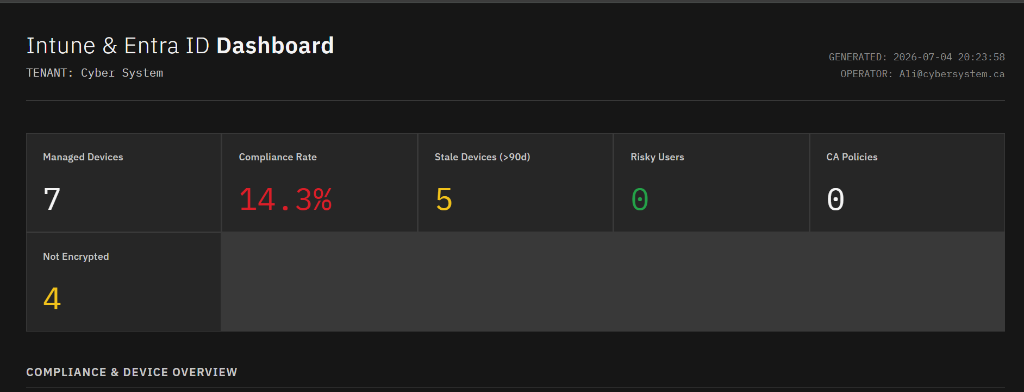
After years in the trenches of enterprise device management—touching hundreds of Microsoft Intune tenants and overseeing the deployment of half a million Autopilot devices—you start to learn a hard truth.
Web dashboards and portals are not built for large, complex environments.
When you are managing a handful of devices, the Microsoft Endpoint Manager portal is fine. But when you are operating at scale, navigating nested blades, waiting for UI elements to load, and trying to trace policy flows for thousands of endpoints becomes a massive bottleneck. You spend more time waiting for the portal to refresh than you do actually solving problems.
The Power of MS Graph
The real engine behind Intune isn't the UI—it’s the Microsoft Graph API.
Unlike a static web interface, the Graph is versatile and programmatic. It doesn't restrict you to the views Microsoft decided to build. It lets you query raw configurations directly, manipulate outcomes, automate complex remediation workflows, and build cross-referenced data structures that no standard dashboard could ever display.
For example, retrieving managed device inventory in the portal takes multiple clicks, exports, and waits. Programmatically, it's a simple query targeting the Graph endpoints:
# Querying managed devices directly from the Graph API
$Uri = "https://graph.microsoft.com/v1.0/deviceManagement/managedDevices"
$Devices = (Invoke-RestMethod -Uri $Uri -Headers $AuthHeaders -Method Get).value
With raw JSON responses, you can filter, format, and audit your assets instantly without UI lag.
For years, whenever a complex problem arose—like an obscure policy conflict, a silent app deployment failure, or a compliance audit discrepancy—I did what any administrator does: I wrote a quick, one-off PowerShell script to target the Graph, get the data, and get out.
But over time, those scripts ended up scattered across various directories, half-finished, and hard to run sequentially.
Consolidating Years of Knowledge
Recently, I decided to change that. I spent a few days consolidating my entire library of enterprise scripts. I cleaned up the code, standardized the outputs, and—with the help of AI to build a unified menu launcher and clean HTML reporting wrappers—I took it to the next level.
The result is the Intune & Entra ID Admin Toolkit.
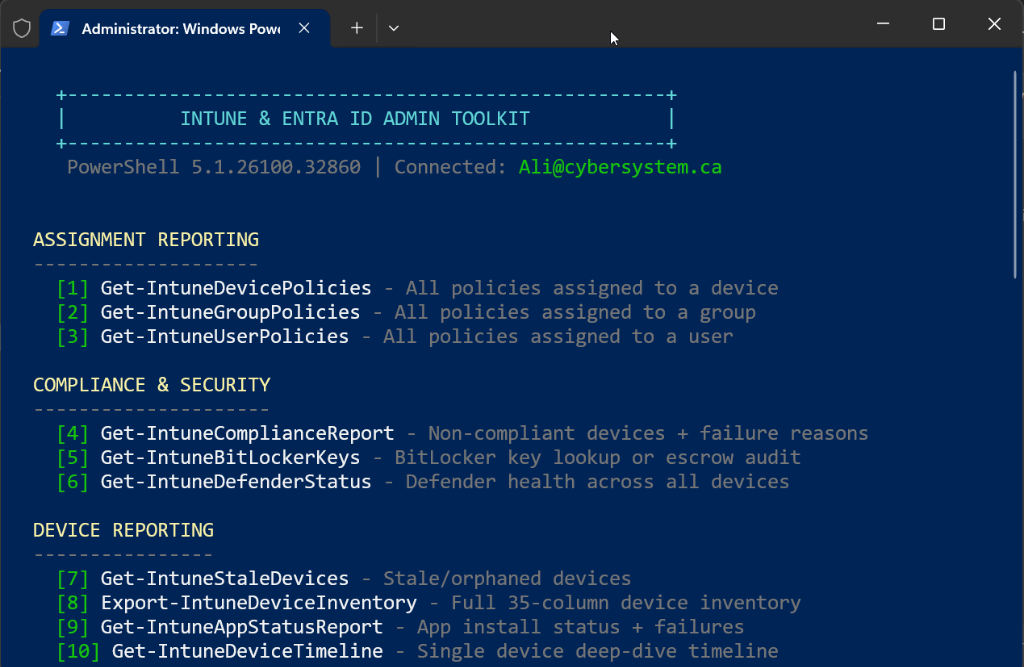
This toolkit takes years of hands-on, high-scale engineering knowledge and wraps it into a single, interactive CLI environment.
Here is what it brings to the table:
- Instant Policy Overlaps & Conflicts: Run deep scans on devices to see precisely which policies are fighting over the same CSP settings.
- Automated Stale Device Cleanups: Cross-reference Intune status with Entra ID sign-in activity (using
signInActivityproperties) to immediately identify orphaned hardware. - Audit-Ready Dashboards: Generate beautiful, single-page HTML status reports styled with a modern Carbon Design System layout.
- Safe Bulk Operations: Push group-wide syncs, diagnostics collections, or Defender updates with built-in safety prompts and API throttling.
Putting It Out There
I didn't build this toolkit to keep it to myself. I built it because I know what it's like to struggle with the limitations of portal-based administration when you have thousands of users waiting.
I’m putting the Intune & Entra ID Admin Toolkit out there for anyone who needs that extra help, that extra operational speed, or wants to move away from clicking and start driving their environment programmatically.
Grab the code, run it, and let the Graph do the heavy lifting.
👉 Get the toolkit on GitHub: CYEBRSYSTEM-AliAlame/IntuneToolKit