
The Portal is a Lie (Part 2): Why Backups Are Your Best Consulting Weapon
Navigating live tenants is a massive bottleneck for enterprise audits. After years of large-scale Intune migrations and consulting, I discovered that offline backup analysis lets you scour every configuration without ever signing in—and it changed everything.
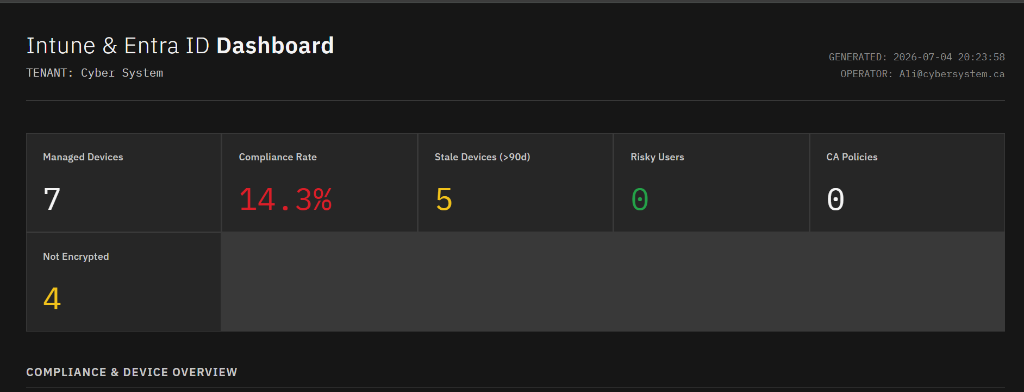
In Part 1 of this series, I talked about how web dashboards break down at scale—and why managing half a million Autopilot devices taught me to bypass the UI and trust the Microsoft Graph API.
But over time, I started pushing that philosophy to its logical conclusion.
What if you didn't even need to query the live Graph? What if you could dissect, audit, and analyze an entire enterprise tenant—without ever signing in, requesting admin access, or waiting for MFA prompts?
Intune backups aren't just for disaster recovery. They are the ultimate consulting weapon.
The Genesis: High-Velocity Migrations at IBM K12
Years ago, during my time handling migrations at IBM K12, I faced a recurring challenge. We had to migrate school after school—similar setups, similar use cases, similar requirements. Doing this manually inside the portal was unthinkable at that volume.
That was when I stumbled across jseerden/IntuneBackupAndRestore, an open-source tool that could serialize entire tenant configurations into flat JSON files.
It was a revelation. Instead of rebuilding the wheel for every school, I could export a "gold standard" configuration, tweak it for the target environment, and deploy it programmatically. Each migration became faster, cleaner, and more reliable than the last.
But as I transitioned into handling independent, large-scale enterprise environments, I realized the true value of these backups wasn't the ability to restore configuration settings.
The real power was in offline tenant analysis.
The Trick: Auditing Without Logging In
When a new client brings you in for an audit, the standard onboarding flow is painfully slow:
- You request a Read-Only Admin or Global Reader account.
- You wait days for security clearance, change controls, and MFA setups.
- You log in, navigate dozens of nested portal blades, and manually copy-paste configurations into a spreadsheet.
It's slow, tedious, and riddled with human error.
The portal is a lie. It hides the underlying structure, doesn't surface cross-references clearly, and makes it impossible to search across everything at once.
With backups, the workflow is completely inverted. I request a single export of the client's Intune tenant configurations—or run a quick backup script myself. I download the JSON structure, save it locally, and sign off.
From there, I can spend the next few days scouring every single setting, profile, policy, and assignment—without laying a finger on their live tenant or ever signing in again.
Intune TenantRecon: The Offline Consulting Engine
That approach worked so well that I decided to formalize it. I took everything I'd learned—years of migration scripts, audit tools, one-off analyzers—and consolidated it into a single, purpose-built toolkit: Intune TenantRecon.
The idea is simple: run one backup, disconnect from the tenant, and perform deep configuration analysis entirely offline. No live API calls. No authentication. Instant results.
Here is what it brings to the table:
New-BackupPolicyReport.ps1: Generates a comprehensive, interactive HTML report of every policy in the tenant.Find-BackupSecurityGaps.ps1: Automatically cross-references backup configurations against security baselines—CIS, Microsoft Baselines, and custom frameworks.Find-BackupSettingConflicts.ps1: Traverses all Device Configuration JSONs to detect overlapping or conflicting settings before they cause issues on endpoints.Get-BackupAssignmentAnalysis.ps1: Maps policies directly to group IDs in the backup, building a full visibility matrix of who gets what—and flags unassigned or over-assigned policies.Find-BackupScriptRisks.ps1: Audits all packaged PowerShell scripts and Win32 app detection rules for hardcoded credentials, security vulnerabilities, or deprecated methods.Compare-BackupSnapshots.ps1: Diffs two backup snapshots side-by-side, showing you exactly what changed between exports—perfect for tracking configuration drift over time.
For example, finding where a specific registry path is modified across hundreds of configurations or scripts takes milliseconds with a simple offline search:
# Search all backup files for specific policy settings or registry keys
./Search-BackupContent.ps1 -Query "HKLM:\Software\Policies\Microsoft\Windows\WindowsUpdate"
No UI lag. No page refresh. Just raw, searchable data.
Bringing Instant Expertise
Treating backup configurations as an offline consulting engine changed how I work. Instead of spending weeks clicking around an environment trying to understand it, I can perform a comprehensive Intune analysis almost instantly.
It transforms backup files from a passive insurance policy into an active, high-speed investigation tool.
If you are still auditing environments by clicking through the Microsoft Intune portal blade-by-blade—stop. Export the backup, run the scripts, and let the data tell you the real story.
The portal is a lie. Trust your backups.
👉 Get the toolkit on GitHub: CYEBRSYSTEM-AliAlame/Intune-TenantRecon